nolankido.comPractical AI · A life beyond the screen

Technology / Everyday planning case

Dinner on Time: building a cooking planner with AI.

Published · Recorded case study · About 4 min read

On this page 4 sections

By · About this writing

When the oven is occupied, the whole dinner plan changes.

Dinner on Time is a cooking-schedule web simulation I developed with ChatGPT/Codex assistance. It coordinates dependent steps around one serving target and explores what happens when the plan is interrupted. In the recorded example, rice preparation has started when the oven becomes unavailable for fifty minutes.

The useful task is to reconsider the remaining work while preserving progress already recorded. The person needs to see the consequences, choose a workable target, and retain a clear account of what is still unfinished.

Evidence: recorded app demonstration with a simulated meal. AI assisted development. The app runs deterministic logic, with no cloud AI model call or live Alexa integration. The recording does not measure physical cooking or time savings.
Watch the demonstrationFollow the decisionsReuse the design questions

Watch a disruption become a revised plan.

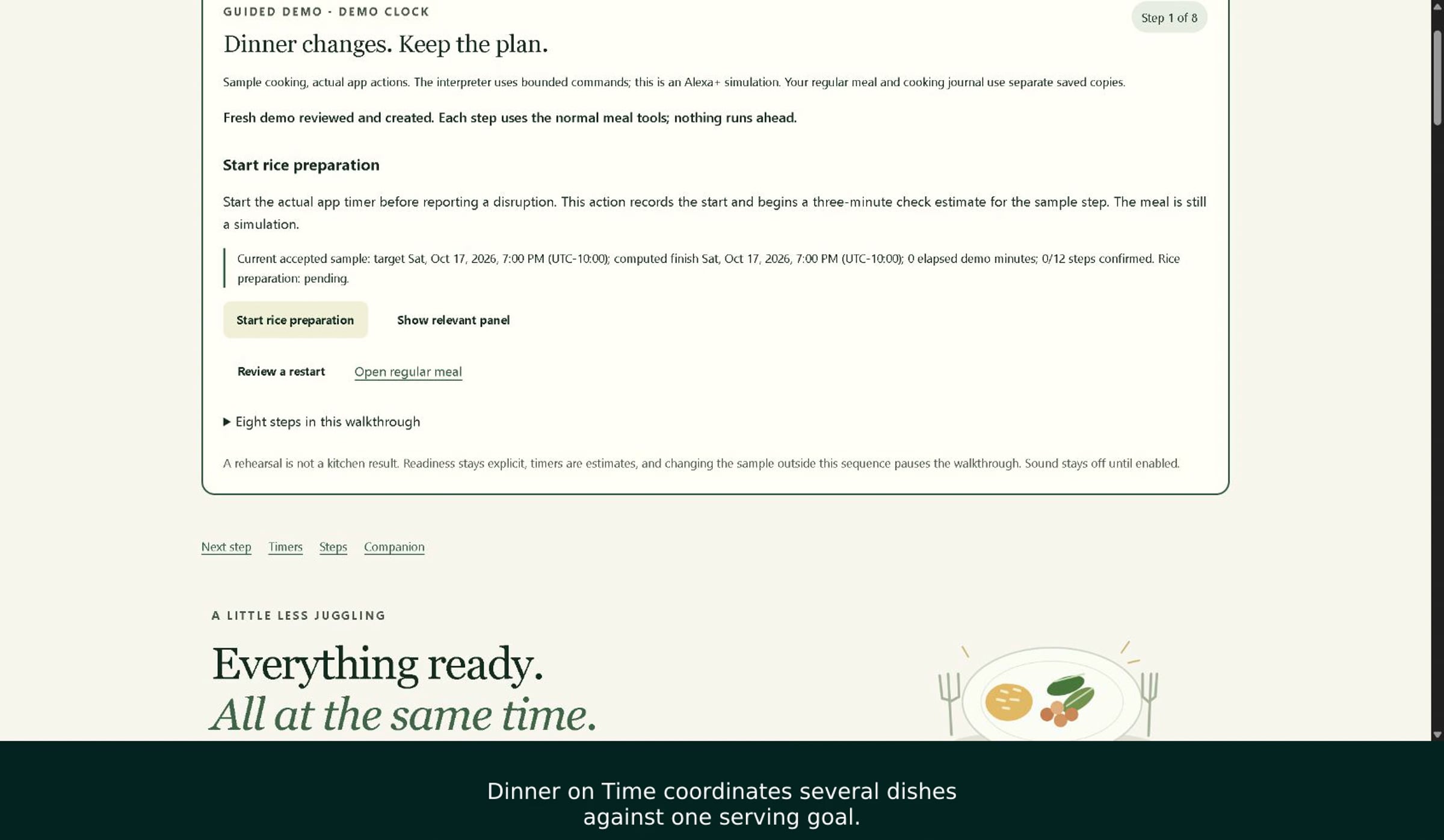
Dinner on Time's guided demo before rice preparation starts, with a demo-clock label, a Start rice preparation button, and zero of twelve steps confirmed.
The public video's preview shows the initial guided-demo state. Open the recording to follow the changes.

Watch the 2 minute 20 second demonstration on Vimeo. The video includes English captions and computer-generated narration.

The recorded sequence starts rice preparation, reports the oven disruption, compares eleven moved future steps, and selects a checked 7:30 serving target. It then adds preparation time, explicitly confirms readiness, and reopens a saved recap after a real reload.

The footage was edited to shorten waits. The recap comes from a second segment after reloading. A demo clock drives the walkthrough, and only one of the twelve meal steps is confirmed. Those details matter when reading a screen that looks like an ordinary cooking plan.

Separate what happened, what is predicted, and what you choose.

This case gives me a useful way to think about planning software. Three kinds of information deserve different treatment:

  • Recorded progress: a step someone has started or confirmed. Reconsidering a schedule should not silently turn that history back into an untouched plan.
  • Future estimates: durations, dependencies, and possible finish times. These are the parts to recalculate when a constraint changes.
  • Human choices: accepting a serving target or confirming that preparation is ready. A calculated time cannot make those decisions on the person's behalf.

The fifty-minute disruption is an input. The later serving target is a choice. Comparing the affected future steps makes that choice easier to inspect: the person can ask what moves, what remains underway, and whether the proposal still fits the meal they want to make.

Readiness needs its own answer. A timer reaching its estimate cannot establish that a person has finished the task. Keeping a confirmation separate from the clock is a useful pattern for household plans, project checklists, and any workflow where the software has only part of the information.

A saved recap serves a different purpose again. It gives the person something to inspect after leaving and returning. Recovery belongs in the design of a useful tool because interruptions are part of using it.

Ask what a changed plan must preserve.

If you use AI to help build a planning tool, describe one interruption before asking for more features. A compact task brief can name the original plan, the change, and the result a person should be able to check.

  1. Record the starting state. Identify completed work, work underway, and work that has not begun. Keep an example small enough to inspect by hand.
  2. Change one constraint. Introduce a delay or unavailable resource. Compare the proposed future steps with the original plan.
  3. Locate the person's decision. Make clear which action accepts the new plan and which action confirms actual progress.
  4. Leave and return. Check whether the saved account explains the accepted plan and unfinished work after reloading.

These are reusable design questions, not a claim that a short demonstration validates every path through an application. For an independent checking example, see the website change that passed its first tests and still contained a defect.

The next useful evaluation would involve an actual meal: compare planned and observed timings, record the effort of keeping the app current, and ask whether it helps more than a simple written schedule. That evaluation has not been completed here. The workflow time calculator can help define what to count.

Prepared with AI assistance from the public Dinner on Time video and its description. The project was prepared for the Build, Ship, Shape: Amazon Developer Hackathon. The design lessons above interpret the recorded scenario; they do not report an observed household outcome.

Explore practical AI · Explore Living Well · Send a correction

Keep or share this page

Pass along this page, or keep its permanent link in your notes. Share page, where supported, sends only the public title and link, not calculator entries or worksheet answers.

https://nolankido.com/technology/dinner-on-time/

No sharing account is needed here. The link also works without JavaScript. For a reading copy, use your browser’s Print command or Save as PDF.

Nolan Kido · Original page: https://nolankido.com/technology/dinner-on-time/